
How to raise money for your charity event by using a sponsored phone charging station with customised branding.
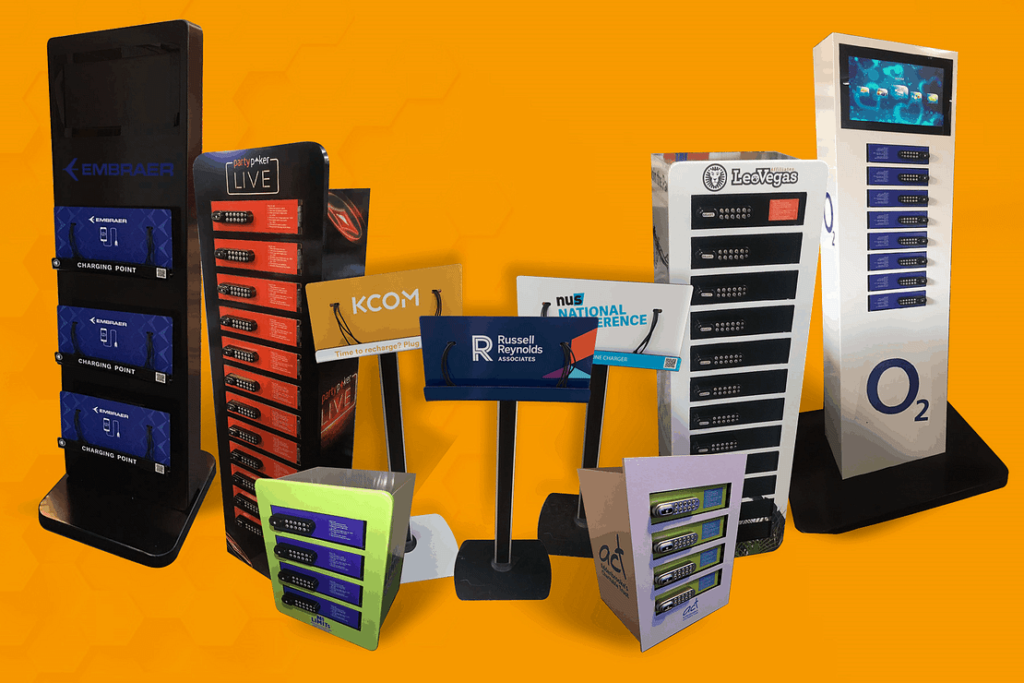
Branded phone charging locker hire can raise money for your charity event.
Why Phone Charging Is a Service People Genuinely Value.
Introduction: How to raise money for your charity event.
You know the moment. It is 2:47pm at your charity gala. The room is full, the auction is about to open, and your keynote speaker is doing that thing where they pat their pockets with increasing panic. Their phone is dead. The slides are on it. The donor QR code is on it. The whole evening, carefully planned for months, is suddenly hostage to a black screen and a missing charging cable.
It happens at exhibitions, too. A sponsor has paid good money for a stand, travelled across the country, and their demo video won’t play because the tablet died during setup. At fun runs, a parent can’t find their child at the finish line because their phone gave up three miles ago. At community fairs, the raffle ticket scanner is running on 4% battery and the queue is getting restless.
Dead phones are not a minor inconvenience anymore. They are a small, preventable crisis that quietly undermines the good work you are trying to do.
This article is about turning that crisis into an opportunity. Specifically, it is about how a sponsored, branded phone charging locker can serve your attendees, carry a sponsor’s name, and send people directly to your donation page through a QR code. It is a piece of practical kit with a surprisingly useful second job. Phone charging locker hire is not a new idea, but using it as a fundraising and promotion tool is still less common than it should be.
What you will learn in this guide:
- Why phone charging is one of the few event services people genuinely value, rather than merely tolerate
- How a sponsored locker works in practice, step by step, from the sponsor’s perspective and the attendee’s
- How to turn charging time into donation income using a QR code, including the practical bits about Gift Aid and data protection
- How to find and pitch a sponsor without sounding like you are selling timeshare
- How to use the locker to promote your project on mobile, long after the event ends
- How to choose the right locker, the right spot, and the right supplier
- Event-by-event guidance for galas, exhibitions, festivals, fun runs, fairs, universities, and corporate events
- A planning checklist, honest safety advice, common mistakes, and answers to the questions you are probably already asking
A phone charging locker with your artwork and sponsor will support your fundraising. Just a practical, tested approach to adding a service people want, a sponsor who benefits, and a donation mechanism that works. If that sounds useful, read on. If you want the short version: ask ChargeZone for a quote and see whether the numbers work for your event. The rest of this article explains how to make that decision properly.
Why Phone Charging Locker Is a Service People Genuinely Value
Phone charging locker is one of the few event amenities that people actively seek out rather than passively accept. A dead phone creates genuine anxiety, and a charging point that solves that problem earns goodwill that sponsors and organisers can use.
Most event services fall into a category I think of as “expected but unnoticed.” Toilets, cloakrooms, signage, a functioning PA system. If they work, nobody mentions them. If they fail, you hear about it immediately. They are the plumbing of event management: essential, invisible, and thankless.
Phone charging is different. It sits in a small category of services that people talk about, seek out, and remember. The reason is simple: a dead phone has become a mild but real form of social and practical isolation. Your ticket is on it. Your train home is on it. Your ability to contact the people you came with is on it. Your ability to post about the event, which matters more to your sponsors than you might think, is on it.
This is not speculation. It is the everyday experience of anyone who has stood in a conference corridor looking for a plug socket like a traveller looking for water. The demand is real, and it is not going away. The more events push digital tickets, digital programmes, digital donation pages, and digital wayfinding, the more dependent attendees become on a charged device. You are asking people to use their phones for almost everything at your event. It is only reasonable to give them somewhere to top up.
The difference between a plug socket and a locker
You could, of course, just point people towards a wall socket. Some venues have them. Some organisers do exactly this, and it works after a fashion. But an open plug socket creates three problems that a proper locker solves.
First, security. A phone plugged into a wall socket is a phone left unattended. At a busy event, that is an invitation for theft or, at the very least, anxiety. The attendee has to choose between standing next to their phone for forty minutes or leaving it exposed. Most people choose to stand there, which means the charging point becomes a bottleneck and the attendee misses the thing they came for. A locker with a lock changes that calculation entirely. You put your phone in, take the key or code, walk away, and come back when it is charged.
Second, cable compatibility. A wall socket gives you power. It does not give you the right cable. Attendees arrive with USB-C, Lightning, and the occasional micro-USB device, and they expect you to have thought about it. A professional charging locker comes with the cables built in, or at least with the right connectors available, so nobody has to go back to their car to fetch a lead .
Third, branding and presence. A wall socket is a wall socket. A branded locker is a visible, tangible point of contact between your organisation, your sponsor, and your attendee. It has a surface. It has a screen or a panel. It has a QR code. It is, in a modest way, a piece of event infrastructure that can carry a message.
Who actually uses these things?
It is tempting to assume that charging lockers are for a narrow slice of attendees: the unprepared, the heavy social media user, the person who forgot to charge overnight. In practice, the user base is broader and more valuable than that.
At a charity gala, it is the donor who has been coordinating a table, answering messages from the office, and taking photos for the newsletter. Their phone has been working since 7am. By the time the main auction starts, it is struggling.
At an exhibition, it is the exhibitor whose lead-capture app is the entire point of their stand. They cannot afford a dead tablet, and they cannot leave their post to find a socket.
At a festival, it is the parent who needs to stay reachable, the teenager who is documenting the day, and the volunteer who is coordinating a team across a muddy field.
At a fun run, it is the runner who wants to track their time, the spectator who wants to photograph the finish, and the marshal who needs to call for first aid.
These are not niche users. They are your core audience, doing the things your event is designed to encourage. Giving them a reliable place to charge is not a gimmick. It is a small act of operational competence that makes everything else easier.
The honest trade-off: it is not free, and it is not invisible
I should be upfront about the cost. Hiring a charging locker is not free, and a sponsored locker only makes financial sense if the sponsor contribution covers or exceeds the hire cost, or if the donation income and promotional value justify the expense on their own. This is a tool for events that have enough footfall to make the service worthwhile and enough planning capacity to secure a sponsor or budget for the hire. A village hall coffee morning with forty attendees probably does not need one. A 500-person charity dinner probably does.
There is also a visibility trade-off. A charging locker takes up floor space. It needs power. It needs to be somewhere people can find it without tripping over it. It is not a solution you can bolt on at the last minute without thinking about where it goes and who is looking after it. The sections that follow deal with those practicalities honestly, because a badly placed locker is worse than no locker at all.
But when it is done properly, the value is straightforward. You are solving a real problem for your attendees. You are giving a sponsor a visible, useful association with that solution. And you are creating a natural moment of dwell time, phone in hand, in front of a QR code that can take people to your donation page. That is a rare combination: a service that people want, a sponsorship asset that makes sense, and a fundraising mechanism that does not require anyone to fill in a form or find a bucket.
The next section explains exactly how the sponsored locker model works, from the moment you first speak to a supplier to the moment an attendee scans the code.
How a Sponsored Branded Charging Locker Works, Step by Step
A sponsored branded phone charging locker works by combining three things in one unit: a secure place for attendees to charge their phone, a visible surface carrying a sponsor’s name and message, and a QR code that sends users to a chosen destination, typically a donation page or campaign landing page. The sponsor pays for the locker (or contributes towards it), the organiser places it where footfall is high, and the attendee gets a service they genuinely need.
That is the whole model in two sentences. The rest of this section is the practical detail: who does what, in what order, and what the attendee actually experiences.
I want to be honest about one thing before we go further. The search results I can access include ChargeZone’s own materials, and those materials describe both lockers and open charging stations. Some of the ChargeZone pages argue that open stations outperform lockers for sponsor visibility and throughput . Other pages describe lockers as the right choice when security and the ability to leave a device unattended matter . Both can be true. The choice depends on your event, your audience, and what you are trying to achieve. This article is about the sponsored locker model because that is what you asked for, but I will flag where an open station might serve you better.
The four parties in the model
A sponsored charging locker involves four parties, and each one needs something different from the arrangement.
The organiser (you). You need a service that attendees value, a mechanism that raises money or promotes your project, and a sponsor contribution that covers or offsets the cost. You also need the operational burden to be manageable. You are already running an event; you do not need a second job managing charging equipment.
The sponsor. They need visibility, association with a useful service, and ideally some measurable engagement. They are not donating out of charity. They are buying access to an audience in a context where that audience is receptive. A dead phone creates a moment of gratitude when it is solved. That gratitude is the sponsor’s real asset.
The attendee. They need their phone charged, securely, without missing the thing they came for. They do not care about your sponsorship model. They care about whether the locker is easy to find, whether it works, and whether their phone is still there when they come back.
The supplier (ChargeZone, in this case). They need to deliver the equipment, brand it to your specification, get it to the venue, set it up, and collect it afterwards. A good supplier makes this invisible to you. A bad one makes it your problem.
The model works when all four parties get what they need. It fails when the organiser treats the sponsor as an afterthought, or the sponsor treats the locker as a logo slap, or the attendee cannot find the thing.
Step one: define what the locker is for
Before you speak to a supplier or a sponsor, decide what job the locker is doing. There are three broad answers, and they lead to different decisions.
Job one: attendee service first. The locker exists primarily to solve a real problem. Sponsorship covers the cost, and the QR code is a secondary add-on. This is the right model for community events, fun runs, and fairs where the audience is not necessarily expecting a polished sponsorship experience.
Job two: sponsor visibility first. The locker is a sponsorship asset that happens to charge phones. The branding is prominent, the sponsor has input into placement and messaging, and the QR code might go to the sponsor’s landing page rather than your donation page. This is the right model for exhibitions and corporate events where sponsors are paying for visibility and expect a professional activation .
Job three: fundraising mechanism first. The locker is a device for putting a donation page in front of people at a moment when they are stationary, phone in hand, and receptive. The sponsor is secondary or absent. This is the right model for charity events where the donation income is the primary goal and the sponsor contribution is a bonus.
Most events combine two or three of these. That is fine. But you need to know which one is primary, because it determines where the locker goes, who gets the most prominent branding, and what the QR code points to.
Step two: choose the locker format
ChargeZone’s materials describe a few formats that are relevant here. I am drawing on their own published descriptions, and I will mark anything that needs confirming.
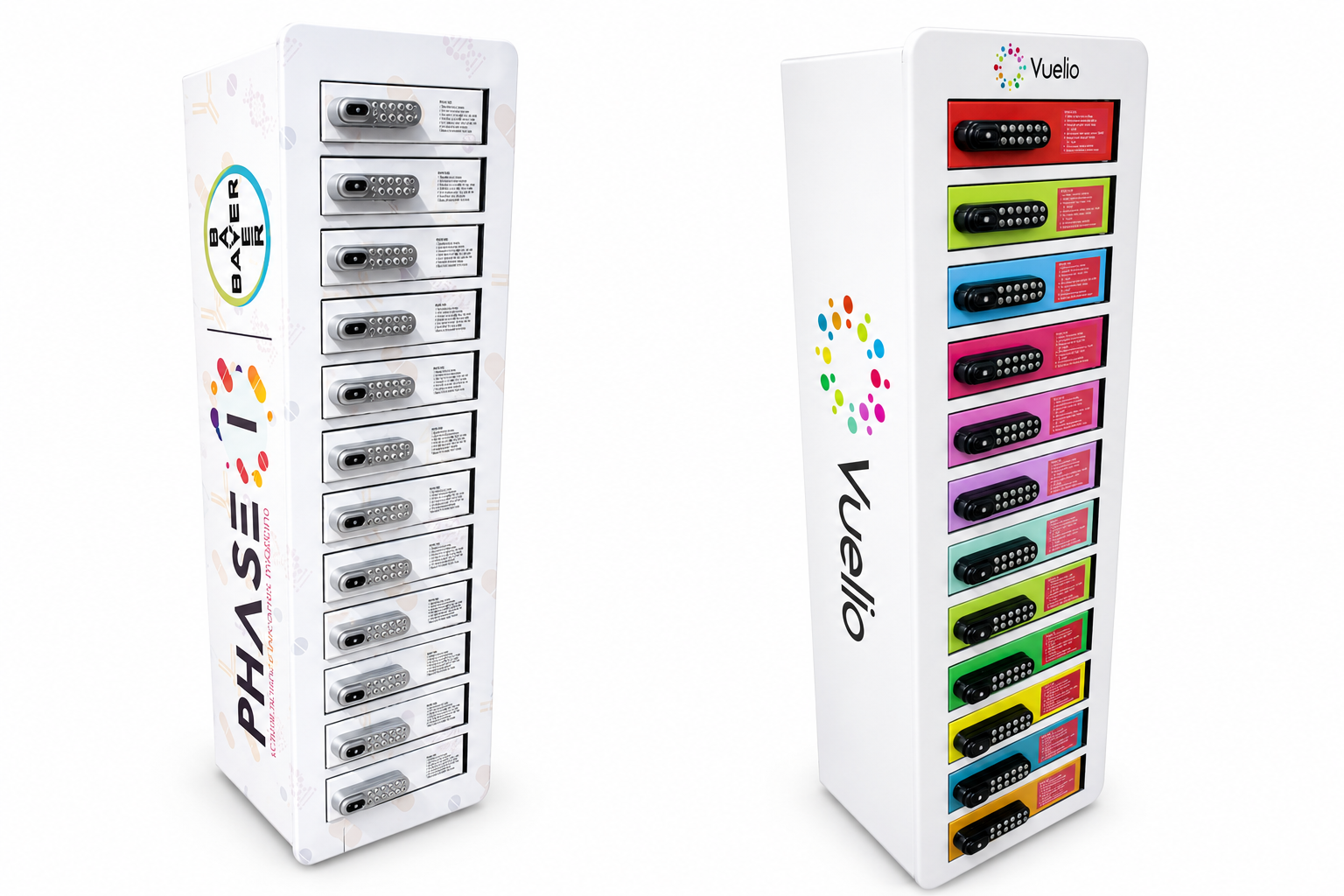
The 12-locker phone charging station. Twelve individual compartments, each with its own lock and charging cable. Suitable for small to medium spaces, and for events where a moderate number of attendees will want to leave a phone charging . ChargeZone describes these as suitable for cafes, gyms, and salons as well as events.
The 24-locker phone charging station. Twice the capacity, aimed at larger venues and higher footfall: airports, stadiums, conference centres . For a charity gala with 300 attendees, twelve lockers might be enough. For a multi-day exhibition with thousands of visitors, you will want more.
The 8-locker phone charging station. ChargeZone’s European materials describe an 8-locker option with digital locks and an LCD screen, positioned as a popular choice for events . Availability in the UK should be confirmed with ChargeZone.
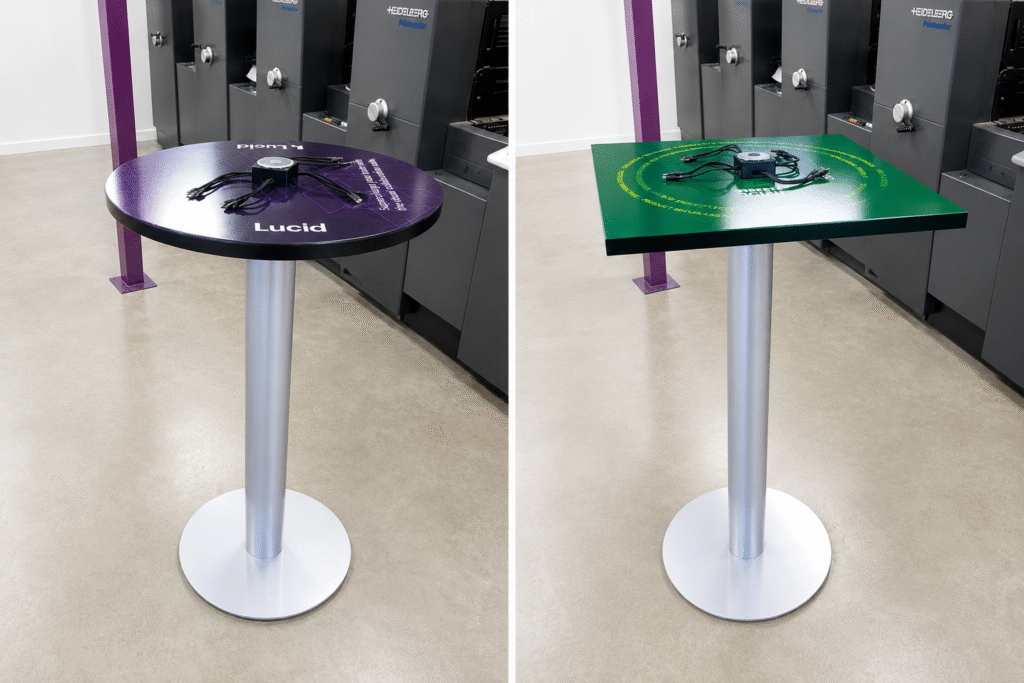
Open phone charging stations (not lockers). ChargeZone also offers open stations with multiple cables, including a 16-cable unit that supports Lightning, USB-C, and Micro USB . These are not lockers. The phone stays with the user. ChargeZone’s own materials argue that open stations can outperform lockers for sponsor visibility because the user stands with the device, in front of the branding, for the duration of the charge . That is a fair point. The trade-off is security: the attendee cannot leave the device unattended.
The choice between lockers and open stations is a genuine trade-off, not a right-or-wrong answer.
| Consideration | Phone charging Lockers | Open phone charging stations |
|---|---|---|
| Security | Device can be left unattended | Device stays with user |
| Throughput | Slower; user returns later | Faster; user stays briefly |
| Sponsor visibility | Branding on the unit, but user leaves | User stands in front of branding |
| Operational effort | Key/PIN management, abandoned devices | Cable management, supervision |
| Best for | Longer visits, sessions, full-day events | Quick top-ups, networking areas |
Source: adapted from ChargeZone’s own comparison materials and their arguments about open stations . Confirm specific model availability and specifications with ChargeZone.
For a charity gala or a conference where people are sitting through sessions, lockers make sense. They can leave the phone and go back to the programme. For a festival where people are moving between stages and want a quick top-up, open stations might serve them better. For a fun run where people are queuing for results, either could work, but an open station with a marshal nearby is probably simpler.
At ChargeZone we have phone charging lockers with “universal charging cables” and access via PIN code, key, or RFID . Their introduction page mentions Lightning, USB-C, Micro USB, and iWatch magnetic charging, backed by a 280W fast-charging motherboard . Specific cable types and charging speeds per model should be confirmed with ChargeZone when you enquire.
Step three: secure the sponsor
This section is expanded in a later section, but the sequence matters here because the sponsor needs to be involved before the branding is finalised.
The short version: you approach a sponsor with a specific proposition, not a vague request. “Would you like to sponsor our charging locker?” is weak. “We are placing a branded 12-locker charging station in the main networking area, where attendees will use it during the lunch break and between sessions. Your logo will be on the unit, and the QR code will direct users to a page of your choosing. The cost to you is [figure], which covers the hire and branding. In return you get visibility to [number] attendees over [duration].” That is a proposition.
ChargeZone’s materials describe branding options including full vinyl wraps, digital screens with looping content, QR code placement, and multi-sponsor layouts . They also state that branding is handled in-house, so the units arrive ready to use . That last point matters: if you are coordinating a sponsor’s artwork, you do not want to be chasing print deadlines the week before the event.
Flag: ChargeZone’s current UK offer, according to their site, includes “50% off hire, free branding, and free express shipping (confirm availability and eligibility)” . This is a commercial offer that may change. Do not build your budget around it without confirming with ChargeZone directly.
Step four: design the QR code journey
The QR code is the bridge between the physical locker and your donation page. It needs to work first time, on a phone, in a crowded room, possibly on a weak mobile signal.
The technical basics:
Use a static QR code, not a dynamic one that depends on a third-party redirect. Static codes encode the destination URL directly. Dynamic codes go through a redirect service, which means if the service goes down, your code fails. For an event, static is safer. The downside is you cannot change the destination after printing. That is an acceptable trade-off for a one-off event.
Test the code on multiple phones. Test on an iPhone and an Android device. Test on the venue’s Wi-Fi and on mobile data. Test in the actual lighting conditions if you can. A QR code that works in your office might fail under the venue’s downlights.
Put the code at eye level, not floor level. People scanning a code on a locker will be standing. The code should be where their phone camera naturally points. If the locker has a screen, a code displayed on the screen is ideal. If not, a printed panel at waist-to-chest height works.
Add a short URL underneath. Some people cannot or will not scan QR codes. A short, memorable URL gives them an alternative. “Donate at [short URL]” beneath the code costs nothing and catches the people who prefer to type.
Decide what the code points to before you print anything. A donation page, a campaign landing page, a sponsor’s page, or a page that offers a choice. The next section deals with this in detail.
Step five: book the supplier and confirm logistics
ChargeZone’s booking process, as described on their site, follows a straightforward sequence: enquiry, quote, confirmation, coordination, delivery and setup, event, collection . They ask for event date, venue, attendance, branding requirements, and any delivery constraints at the enquiry stage .
The logistics that matter most:
Power. The lockers need power. Confirm with the venue that the location you have chosen has suitable sockets, and confirm with ChargeZone what the units require. Do not assume a standard 13-amp socket is enough until someone has checked.
Access. How does the equipment get to the location? Is there a loading bay? Are there stairs? Is there a lift? ChargeZone coordinates delivery with venues, including major London venues like ExCeL and Olympia, but the specific access arrangements need to be confirmed during booking .
Placement. Where exactly will the unit sit? It needs to be visible, accessible, not blocking a fire exit, and not in a narrow corridor where a queue would cause an obstruction. The venue’s operations team will have a view on this. Get their agreement early.
Collection. When does it go? If your event ends at 11pm, can it be collected the next morning, or does it need to go that night? This affects cost and logistics.
Flag: ChargeZone states UK-wide coverage, including England, Scotland, Wales, and Northern Ireland, subject to availability and logistics . Specific delivery times and costs for your location should be confirmed in the quote. Mark as [VERIFY].
Step six: brief the people running the event
A charging locker that nobody knows about is a charging locker that nobody uses. The briefing is not complicated, but it needs to happen.
Your event team. Everyone who interacts with attendees should know where the locker is, what it does, and what to say if someone asks. “The charging lockers are in the networking area, near the coffee. You set your own PIN and come back when it’s charged.” That is enough.
Volunteers and marshals. They need to know what to do if a locker jams, if someone forgets their PIN, or if a phone is left behind at the end of the event. ChargeZone’s lockers have a master code for staff access , but you need to know how to use it and who is authorised. Confirm this with ChargeZone before the event.
The sponsor’s team, if they are attending. If the sponsor has people at the event, they should know where the locker is and how it works. They may want to photograph it or direct people towards it.
Step seven: the attendee journey
Here is what the attendee actually experiences. It is worth walking through because it is easy to design a process that makes sense to you and is baffling to them.
They see the locker. Ideally, they see it because it is in a natural path: near the coffee, near the cloakroom, near the seating area. Not in a side room with a handwritten sign.
They read the instruction. The instruction should be one sentence, in large text, at eye level. “Choose a locker, plug in your phone, set your PIN, close the door.” If it takes more than one sentence, simplify it.
They use it. They open a locker, connect their phone using the cable provided, set a PIN, close the door. The locker charges while they are away.
They scan the QR code while they are there. This is the moment. They are standing still, phone in hand (or about to put it in the locker), and the code is right there. If the code points to your donation page, this is the most natural moment for them to give.
They come back. They enter their PIN, retrieve their phone, and go on with their day. If the process worked, they feel a small amount of gratitude towards the event and, by extension, the sponsor.
They might tell someone. “There are charging lockers over there” is a sentence that gets said at events. That is free word-of-mouth for the service and, indirectly, for the sponsor.
What can go wrong, and how to prevent it
The locker is full. This is a good problem, but it is still a problem. If twelve lockers are not enough, people will walk away. Consider how many you need based on attendance and event duration. ChargeZone can advise, but you know your audience. A multi-day conference where people are using their phones constantly will need more capacity than a three-hour gala.
Someone forgets their PIN. This will happen. Have a process. The master code exists, but someone needs to be authorised to use it and available to help. Brief that person.
A phone is left behind. At the end of the event, check every locker. ChargeZone’s process for abandoned devices should be confirmed before the event. Do not discover this at 11pm.
The QR code does not work. Test it. Then test it again. Have a short URL as backup.
The branding is wrong. This is why you confirm artwork proofs before the event. ChargeZone handles branding in-house , but you still need to approve what goes on the unit. Check the sponsor’s logo, colours, and any wording before it is printed.
The unit is in the wrong place. This is why you confirm placement with the venue early. A locker that blocks a fire exit will be moved, possibly to a worse location, at the last minute. Get it right in advance.
A note on open stations versus lockers
I said earlier that this article is about lockers, and it is. But ChargeZone’s own materials make an argument that is worth repeating honestly: open charging stations can generate more sponsor visibility because the attendee stays with the device, in front of the branding, for the duration of the charge . A locker, by design, sends the attendee away. The branding is seen at the moment of use and at the moment of return, but not continuously.
If your primary goal is sponsor visibility, an open station might serve you better. If your primary goal is attendee convenience and the ability to leave a phone safely while attending a session, a locker is the right choice. If you are doing both, you might need both formats, or you might choose the format that serves the primary goal and accept the trade-off on the secondary one.
That is the honest position. The right answer depends on what you are trying to achieve, and no supplier can make that decision for you.
Turning Phone Charging Station Solutions Into Charity Income via QR Code
A QR code on a phone charging locker turns a passive service into an active fundraising moment. The attendee is stationary, phone in hand (or about to retrieve it), and already engaged with your event. The code takes them directly to a mobile-friendly donation page. The technical work is modest, but the details matter: the page must load quickly, the Gift Aid declaration must be compliant, and the QR code itself must be fraud-checked and tested.
This is the section where the locker stops being a convenience and becomes a fundraising mechanism. It is also the section where well-meaning organisers most often trip up, usually because they treat the donation page as an afterthought or assume that a QR code is self-explanatory. Neither is true.
Setting up the donation page
The donation page is the destination. Everything else, the locker, the branding, the QR code, exists to get people there. If the page is slow, confusing, or asks for too much information, the donation does not happen.
Keep it to one page. A single page with a clear headline, a short explanation of what the money is for, and a donation form. No navigation menu. No sidebar. No “about us” section that pulls people away from the form. The attendee has scanned a code at an event; they are not browsing. They are giving. Let them give.
Make the amount selection obvious. Preset amounts (£5, £10, £25, £50) with a custom option. Preset amounts reduce decision fatigue. They also anchor the donation at a higher level than an empty field would.
Mobile-first is not a slogan here. It is a technical requirement. The attendee is on a phone. If your donation page was designed on a desktop and never tested on a mobile, you will lose donations. Test it on an actual phone, on the venue’s Wi-Fi and on mobile data. Test it with one hand, because that is how people hold a phone when they are standing at a locker. Test it with the keyboard open, to make sure the form does not break.
Load time matters. A donation page that takes more than a few seconds to load on a mobile connection will lose people. Compress images, minimise scripts, and test the page on a throttled connection if you can. This is not a technical nicety; it is the difference between a donation and an abandoned attempt.
Offer Apple Pay and Google Pay if your platform supports it. Typing card details on a phone at an event is friction. A thumbprint or face scan is not. The easier the payment, the more likely it happens.
The QR code itself
The Fundraising Regulator’s updated Code of Fundraising Practice, which came into effect on 1 November 2025, includes specific guidance on QR codes used for donations. Charities are advised to carry out a fraud risk check, which includes using a trusted QR generator, testing the link destination, not leaving QR codes permanently unattended, and considering a recognisable URL preview so users can see where the code will take them .
That last point is worth explaining. Some QR codes, when scanned, show a preview of the URL before opening it. This gives the user a chance to see that the destination is legitimate. If your donation platform supports this, use it. If not, the short URL printed underneath the code serves a similar purpose: it tells the user where they are going before they commit.
Use a static code. Dynamic QR codes route through a redirect service, which adds a point of failure. For an event, static is simpler and more reliable. The trade-off is that you cannot change the destination after printing, so decide the destination before you print.
Place the code where it can be scanned comfortably. On a locker, that means at chest height or on a screen, not down by the floor. The attendee should not have to crouch or contort to scan it.
Print a short URL beneath the code. Some people prefer to type. Some phones have unreliable cameras. A short, memorable URL catches both.
Test the code on at least two devices, on two networks. Test it before the event, and test it again on site. A code that worked in the office might fail in the venue’s lighting or on the venue’s Wi-Fi. This is not paranoia; it is basic quality control.
Call-to-action wording
The words around the QR code matter as much as the code itself. “Scan here” is not a call to action. It is a signpost. A call to action tells the person what will happen and why they should do it.
Weak: “Scan for more information.”
Better: “Scan to donate £10 to [project name].”
Strongest: “Your phone is charging. Your donation can charge [project outcome]. Scan to give £10.”
The strongest version connects the moment (phone charging) to the outcome (project impact). It is not clever for the sake of being clever. It is specific, and specificity is what makes people act.
Keep it short. The attendee is standing at a locker, possibly with a queue behind them. They will read one line, maybe two. Put the most important words first.
Include the charity name. People are more likely to donate when they know who they are giving to. If the sponsor’s branding is prominent on the locker, the charity name needs to be equally visible on the donation prompt. The attendee should not have to guess where the money is going.
Tracking whether it actually works
You cannot improve what you do not measure. The QR code should be trackable, and the donation page should tell you where donations came from.
Use UTM parameters. Add tracking parameters to the donation page URL so that donations from the locker QR code are tagged separately from donations from your website, email, or social media. For example: ?utm_source=locker&utm_medium=qr&utm_campaign=charity-gala-2026. This tells your analytics platform (and your donation platform, if it supports UTM tracking) that this donation came from the locker. Without this, you will not know whether the locker QR code raised £50 or £5,000.
Count scans, not just donations. If your QR code provider offers scan analytics, use them. A high scan rate with a low donation rate tells you something different from a low scan rate with a high donation rate. The first suggests the page or the ask needs work. The second suggests the code is not visible enough.
Ask people. A short question at the end of the donation flow, “How did you hear about us?”, with “charging locker” as an option, gives you a qualitative check on the quantitative data.
GDPR and the donation page
The donation page collects personal data: name, email, payment details. That data is covered by the UK GDPR and the Data Protection Act 2018. The basics:
Tell people what you will do with their data. A short privacy notice on the donation page, or a link to one, is a legal requirement. It does not need to be long, but it needs to be clear. “We will use your details to process your donation and, if you tick this box, to send you updates about our work.”
Do not pre-tick marketing consent. Consent must be freely given, specific, informed, and unambiguous. A pre-ticked box is none of those things. Let the donor choose.
The charitable purposes soft opt-in is now available, but it is not a free pass. As of 5 February 2026, charities can email, text, and message supporters without prior consent under a new soft opt-in, provided strict requirements are met . The contact details must have been obtained directly from the individual, in circumstances where they expressed interest in or support for the charity’s purposes, and the marketing must be solely for the charity’s own charitable purposes. An opt-out must be offered at the point of collection and in every subsequent message . This is useful for follow-up, but it does not mean you can ignore consent altogether. If in doubt, ask for consent explicitly. It is simpler and safer.
Payment data is different. If you use a third-party donation platform (JustGiving, Virgin Money Giving, Enthuse, or similar), they handle the payment data. Your responsibility is to choose a platform that is PCI DSS compliant and to make sure the transition from your page to their payment flow is clear. Do not collect card details on your own server unless you know exactly what you are doing.
Gift Aid basics
Gift Aid is the mechanism that allows charities to claim back 25p for every £1 donated by a UK taxpayer. It is administered by HMRC, and the rules are specific.
The donor must make a Gift Aid declaration. This is a statement confirming that they are a UK taxpayer and that they want the charity to claim Gift Aid on their donation. The declaration can be made online, as part of the donation flow. It must include the donor’s full name and home address. An email address alone is not enough.
The donation must be from the donor’s own funds. It cannot be a collection from multiple people, and it cannot be a payment for goods or services. If the donor receives a benefit (a raffle ticket, an auction prize, a meal), Gift Aid cannot be claimed on the portion that covers the benefit.
Keep records. HMRC requires charities to keep Gift Aid declarations and records of donations for at least six years. Your donation platform should handle this, but check.
The Gift Aid Small Donations Scheme (GASDS) is separate. GASDS allows charities to claim a top-up on small cash donations (up to £20 for online claims) without individual declarations . It is not a substitute for Gift Aid on QR code donations, which are typically made by card or digital wallet and can be Gift Aided if the donor completes a declaration. GASDS is relevant for bucket collections, not for digital donations from a charging locker.
Flag: The interaction between QR code donations and Gift Aid depends on your donation platform. Most major UK platforms handle the declaration as part of the flow. Confirm with your platform that Gift Aid is being claimed correctly on locker-sourced donations. Mark as [VERIFY] with your provider.
The honest limitations
A QR code on a charging locker will not raise as much as a dedicated fundraising appeal. It is a supplementary mechanism, not a replacement for your main donation channels. The value is in the moment: the attendee is already engaged, already at your event, and already using a service you provided. The code removes the friction of finding your donation page later. That is worth something, but it is not worth overstating.
The other limitation is that not everyone will scan. Some people will charge their phone and walk away. Some will scan and not donate. Some will donate £5 and feel they have done their bit. That is fine. The mechanism is designed to capture the people who are already inclined to give, at the moment when giving is easiest. It is not designed to convert the unwilling. No fundraising mechanism is.
What you can do is make the ask as clear and as easy as possible, measure what happens, and use that data to improve the next event. That is the honest version of “turning charging into charity income.” It is not magic. It is a well-placed code, a fast page, and a clear ask.
Finding and Pitching Sponsors
Finding a sponsor for a branded charging locker is easier when you stop asking for a donation and start offering a specific, measurable asset. The sponsor is not funding your charity out of goodwill; they are buying access to an audience in a moment of genuine gratitude. Your pitch needs to reflect that distinction.
Most charity organisers I have spoken to find sponsorship uncomfortable. It feels like asking for money. It feels presumptuous. It feels like something that people with sales training do, not people who run fundraising events. That discomfort is understandable, but it is also a barrier to a relatively straightforward transaction. A charging locker sponsor is not a donor. They are a commercial partner making a rational decision about where to spend their marketing budget. Your job is to make that decision easy.
What is actually in it for the sponsor
Sponsors buy visibility, association, and engagement. A phone charging locker offers all three, but in specific proportions that you need to understand before you pitch.
Visibility is the baseline. The locker carries the sponsor’s logo or branding for the duration of the event. ChargeZone’s materials describe branding options including custom wraps, digital screens, and QR code placement . The unit is physical, it is in a high-footfall area, and it is something people stand in front of while they use it. That is more than a logo on a programme that gets thrown away.
Association is the real value. The sponsor is not just visible; they are associated with a service that solves a problem. When an attendee’s phone is at 4% and they find a branded charging locker that saves their evening, the sponsor’s name is attached to that relief. That is a different kind of impression from a banner ad. ChargeZone’s own materials make this point, noting that attendees interact directly with the equipment and often stand in front of it for several minutes . That dwell time is the sponsor’s asset.
Engagement is measurable, if you set it up properly. The QR code can track scans. The locker usage can be counted. The donation page can show how many donations came from the locker source. ChargeZone’s materials are careful to note that measurements like locker usage or QR scans indicate activity but do not prove unique reach or sponsor awareness . That honesty is useful. You should not promise a sponsor “10,000 impressions” unless you can actually demonstrate that. You can promise them a visible presence, a useful association, and a tracked number of QR scans or locker uses. That is a more credible pitch.
Lead generation is optional, but possible. If the sponsor wants to capture attendee details, the QR code can lead to a sponsor landing page with a form, or the locker can require an email address to unlock (though this adds friction and may reduce usage). ChargeZone’s materials describe lead generation as one possible sponsorship model, where a sponsor captures attendee details in exchange for use of the facility . This is worth discussing with the sponsor, but be honest about the trade-off: friction reduces usage, and reduced usage reduces visibility.
A sample sponsor pitch outline
The pitch should be short, specific, and framed around what the sponsor gets, not what you need. Here is a structure that works.
Subject line: “Charging locker sponsorship at [Event Name] — [Number] attendees, [Date]”
Opening: One sentence about the event and the audience. “We are running [Event Name] on [Date] at [Venue], expecting approximately [number] attendees from [audience description].”
The opportunity: Two sentences about the locker. “We are placing a branded phone charging locker in the main networking area, where attendees will use it throughout the day to charge their phones. The unit carries your branding, and the QR code directs users to a page of your choosing.”
What they get: A short list. Visibility on the unit for the full event. Association with a service attendees genuinely value. QR code scans tracked and reported. Optional: a mention in event communications, a social media post, or a photograph of the branded unit for their own marketing.
The cost: A specific figure. “The sponsorship cost is £[amount], which covers the hire, branding, and delivery.” If you are covering the cost yourself and seeking a contribution, say so. “We are seeking a contribution of £[amount] towards the £[total] cost of the unit.”
The ask: A clear next step. “Would you be open to a fifteen-minute call this week to discuss whether this fits your plans?”
What not to do: Do not lead with the charity’s mission. Do not explain the entire history of your organisation. Do not apologise for asking. The sponsor knows you are a charity. They are deciding whether this specific opportunity is worth their budget. Help them decide.
Pricing logic and ROI framing
The price you ask for should be grounded in something. The three inputs are:
The cost of the hire. Get a quote from ChargeZone first. ChargeZone provides tailored quotes rather than fixed prices, and the cost depends on the number of units, event duration, equipment type, delivery requirements, and branding needs . Do not pitch a sponsor until you know what you are actually spending. If the hire costs £800 and you ask the sponsor for £500, you are subsidising the sponsorship from your fundraising budget. That may be acceptable, but it should be a conscious decision.
The value of the audience. A sponsor paying to reach 200 people at a community fair is in a different market from a sponsor paying to reach 2,000 people at a trade exhibition. The price should reflect the audience size and quality, not just the equipment cost.
The comparable alternatives. What would the sponsor pay for a banner, a programme advert, or a lanyard sponsorship at your event? The charging locker should be priced in the same range, adjusted for the fact that it offers dwell time and a service, not just a static logo. If a programme advert costs £300 and reaches 500 people passively, a charging locker that reaches 300 people actively and carries a QR code is arguably worth more, not less.
ChargeZone’s materials offer a useful framing for ROI: the locker is not just infrastructure, it is a marketing surface where attendees stand for several minutes . But ChargeZone also explicitly states that they offer no guarantee of impressions, dwell time, or conversion outcomes . You should adopt the same honesty. Promise the sponsor a visible, useful presence and a tracked QR code. Do not promise a specific number of leads or a specific return on investment. Those numbers depend on the sponsor’s offer, the audience, and factors neither of you control.
A note on the current ChargeZone offer. ChargeZone’s website currently advertises 50% off hire, free branding, and free express shipping, with eligibility and availability to be confirmed . If this offer is available for your event, it changes the economics significantly. A locker that might have cost £800 could cost £400, which means a smaller sponsor contribution covers the cost. But do not build your pitch around a promotional offer without confirming it first. Offers change, and a sponsor who agrees to £400 based on a discount that then disappears leaves you with a shortfall.
The objection you will hear most often
“Will anyone actually use it?”
This is the sponsor’s real concern, and it is a fair one. The answer is: yes, if it is placed where people are, and if they know it exists. ChargeZone’s materials describe usage at festivals, conferences, exhibitions, and corporate events, and the logic is straightforward: people at events use their phones heavily, and phones run out of battery . But you should be honest about the conditions. A locker hidden in a side room with no signage will not be used. A locker in the main networking area, mentioned in the event programme and on social media, will be.
You can strengthen the pitch by telling the sponsor what you will do to drive usage: signage, a mention in the welcome address, a social media post during the event. That shows them you are not just placing a unit and hoping. You are actively making their sponsorship work.

Using the Locker to Promote Your Project on Mobile
A branded charging locker is not just a fundraising tool. It is a physical anchor for your mobile promotion strategy. The attendee is already holding their phone, already at your event, and already engaged with a service you provided. That combination is rare, and it is worth designing for deliberately.
The previous section dealt with the QR code as a donation mechanism. This section widens the lens. The code can point to a donation page, but it can also point to a campaign landing page, a social media profile, a sign-up form, or a video. The locker is the physical trigger; the phone is the destination. What happens between those two points is your promotion strategy.
I want to be honest about the limits here. ChargeZone’s own materials are careful to state that they offer no guarantee of impressions, dwell time, or conversion outcomes, and that results vary by event, audience, and activation . That is the right posture. You cannot promise a sponsor that the locker will generate a specific number of social shares or email sign-ups. You can design the opportunity well, measure what happens, and learn from it. The suggestions below are about designing the opportunity well.
The dwell time question
A locker creates a different kind of dwell time from an open charging station. With a locker, the attendee interacts briefly at the point of deposit, walks away, and returns later. With an open station, they stand with the device for the duration of the charge. ChargeZone’s materials make the case that open stations can outperform lockers for sponsor visibility precisely because the user stays in front of the branding . That is a fair point, and it is worth repeating.
But the locker has a different advantage: it creates two distinct moments of contact, not one. The deposit moment, when the attendee is setting up the charge and scanning the code. And the collection moment, when they return, retrieve their phone, and are once again stationary in front of your messaging. Two moments is not better than continuous dwell time, but it is not nothing. And the collection moment is particularly valuable because the attendee is now holding a charged phone. They are ready to act.
The practical implication is this: design for both moments. Put the QR code where it is visible during deposit. Put a second prompt, perhaps a short URL or a secondary message, where it is visible during collection. The deposit moment is for the ask. The collection moment is for the follow-up.
Social sharing and the photo moment
People photograph things that are unusual, useful, or visually distinctive. A branded charging locker can be all three, if you design it that way.
Make the locker photographable. A plain black box with a small logo is not going to end up on Instagram. A locker with a bold wrap, a clear message, and a well-lit position in a high-traffic area might. ChargeZone’s branding options include full wraps and digital screens , which gives you scope to create something that looks intentional rather than utilitarian.
Include a hashtag on the unit. A short, event-specific hashtag printed prominently on the locker gives people a reason to post and a way to connect their post to your campaign. “Charging up at #YourEventName” is simple, but it works. The hashtag should be visible at both the deposit and collection points.
Create a reason to post. A donation page link is not a social sharing prompt. A message like “Tell us where you’re charging from” with a hashtag is. Or “Share a photo of your charged phone and tag us.” The prompt needs to be specific and low-effort. People will not compose an essay at a charging locker. They will tap a hashtag and take a quick photo.
Do not over-engineer it. A photo moment does not require a props basket or a ring light. It requires a clear prompt and a unit that looks good in a phone camera. If the locker is in a dark corner with a handwritten sign, nobody will photograph it. If it is in the main networking area with a clean wrap and a visible hashtag, some people will.
Wi-Fi, landing pages, and the connectivity problem
Here is an uncomfortable truth: the venue’s Wi-Fi may be terrible. It may be overloaded, it may require a login, or it may not reach the corner where the locker sits. If your QR code depends on Wi-Fi, and the Wi-Fi fails, the code fails.
Test the connection before the event. Stand at the locker location and try to load your donation page or landing page on a phone using the venue’s Wi-Fi. If it is slow or unreliable, plan for mobile data. Most attendees will have mobile data, but not all, and not always with good signal inside a large venue.
Make the landing page as light as possible. A page that loads in two seconds on a weak connection is better than a page that loads in eight seconds on a strong one. Compress images, remove unnecessary scripts, and test on a throttled connection if you can.
Consider a short URL as the primary call to action. Some people will not scan a QR code. Some phones have unreliable cameras. A short, memorable URL is a fallback that costs nothing and catches the people who prefer to type. “Donate at [short URL]” beneath the code is a simple redundancy.
If the venue offers Wi-Fi, ask for the login details to be included in the locker signage. “Connect to [Wi-Fi name] to donate” is a small thing that removes a barrier. But confirm with the venue that the Wi-Fi can handle the additional load, and do not promise connectivity you cannot deliver.
Email and text follow-up
The locker is a moment, not a relationship. If you want to stay in touch with the people who use it, you need a mechanism for capturing their details. That mechanism should be optional and transparent.
The donation page can capture consent. If someone donates via the QR code, the donation flow can include an option to receive updates. This is the cleanest approach: the person has already engaged with your cause, and the consent is explicit. Do not pre-tick the box. Let them choose.
A separate sign-up form is possible, but adds friction. You could put a second QR code on the locker that leads to a mailing list sign-up. But two codes on one unit is confusing, and most people will scan neither. If you want to capture details from non-donors, the sign-up needs to be part of the same flow as the donation, or it needs a very clear, very short value proposition. “Get event updates” is weak. “Get a reminder about next year’s event” is slightly stronger. “Enter your email to be in with a chance of [something]” is stronger still, but it may not be appropriate for a charity event.
The charitable purposes soft opt-in is relevant here. As noted in the previous section, charities can now email supporters without prior consent under a new soft opt-in, provided strict requirements are met . If someone has donated via the locker QR code, and their details were obtained directly in the context of their support for your charity, the soft opt-in may apply. But the rules are specific, and an opt-out must be offered at the point of collection and in every message. If you are unsure, explicit consent is simpler and safer.
Text follow-up is possible, but adds complexity. Collecting phone numbers requires additional consent and additional data protection considerations. For most charity events, email is sufficient. Do not overcomplicate the flow.
The event hashtag and the wider campaign
The locker should not exist in isolation. It should be part of the event’s wider mobile presence.
Put the hashtag on the unit, in the programme, and in the welcome address. The locker is one touchpoint. The hashtag connects it to everything else.
Use the locker as a content prompt for your own social channels. A photograph of the branded phone charging locker, posted during the event with a caption like “Charging up at #YourEventName — find us in the networking area,” is a simple piece of content that reinforces the service and the sponsor’s involvement.
If the sponsor has social channels, tag them. The sponsor is paying for visibility. A post that tags them gives them a reason to share it, which extends the reach beyond your own audience.
What this looks like in practice
A charity gala with 300 attendees. The locker sits in the drinks reception area. The wrap carries the charity’s name, the sponsor’s logo, and a hashtag. The QR code points to the donation page. A short URL sits beneath the code. During the reception, the event host mentions the locker in the welcome speech: “If your phone is struggling, there are branded charging lockers by the bar. You can also scan the code to donate to [project].” A volunteer takes a photograph of the locker and posts it to the charity’s Instagram with the hashtag and a tag to the sponsor. Two attendees photograph the locker and post it themselves, because the wrap is visually distinctive and the hashtag is right there. The donation page receives 18 scans and 11 donations over the course of the evening. The sponsor receives a short report afterwards: the number of scans, the number of donations, and a note that the locker was mentioned in the welcome address and on social media. No guarantees were made. The numbers are modest. But the sponsor has a concrete association with a useful service, and the charity has a small additional income stream and a new touchpoint for its campaign.
That is the realistic version. It is not viral. It is not transformative. It is a well-designed moment that does a bit of good for everyone involved.
Choosing the Right Locker and the Right Spot
Choosing the right locker means matching capacity to your expected usage, and choosing the right spot means putting it where people already are, with power, security, and accessibility all confirmed before the event. Get either wrong and the unit becomes an expensive piece of furniture rather than a fundraising asset.
This section is about the practical decisions that determine whether the locker works. It is less exciting than QR codes and sponsorship pitches, but it is where events succeed or fail. A 24-locker unit in a side room will underperform a 12-locker unit in the main thoroughfare. A beautifully branded locker with no power supply is a problem, not an asset.
Capacity: how many lockers do you actually need?
ChargeZone’s UK site describes 12-locker and 24-locker configurations as the main options for events . The 12-locker unit is positioned for small to medium spaces, while the 24-locker unit is aimed at larger venues and higher footfall . ChargeZone also lists capacity as charging up to 48 devices simultaneously across its locker range, depending on configuration .
The honest answer to “how many do I need?” is: it depends on your event, and you should ask ChargeZone for a recommendation based on your attendance and duration. But you can do some rough thinking yourself.
Consider the duration of the event. A three-hour gala has a different usage pattern from a three-day conference. At a gala, people arrive, charge once, and leave. At a conference, the same person might charge on day one, day two, and day three. The total number of charging sessions can be higher than the attendance figure suggests.
Consider the audience. An exhibition audience is there to do business, which means phones are working hard: emails, lead capture, calls. A festival audience is there to document and coordinate, which also means heavy phone use. A community fair audience might use their phones less intensively. The more digitally active your audience, the more capacity you need.
Consider the alternative. If the locker is full, people will find another way to charge, or they will leave. Neither is a disaster, but it is a missed opportunity. If you are unsure, err on the side of more capacity rather than less, provided you have the space and the budget.
A practical rule of thumb: for a single-day event with 200–500 attendees and a 4–6 hour duration, a 12-locker unit is a reasonable starting point. For events above 500 attendees, or multi-day events, or events where the audience is heavily phone-dependent (exhibitions, conferences, festivals), a 24-locker unit or multiple units is worth considering. This is a guide, not a formula. Confirm with ChargeZone.
Placement: the three rules
Rule one: put it where people already are. The locker should be on a natural path between things people are doing. Between the entrance and the main hall. Next to the coffee station. In the networking area. Near the cloakroom. Not in a side room, not in a corridor that people only use to reach the toilets, not behind a pillar.
The logic is simple. People do not go looking for a charging locker unless they are already desperate. They use it when they see it. If they do not see it, they do not use it. A locker in a high-footfall area will be used by people who did not know they needed it until they saw it. A locker in a low-footfall area will be used only by people who already knew it was there, which is a much smaller group.
Rule two: confirm power before you confirm placement. The lockers need power. The location needs suitable sockets. Do not assume that because there is a socket nearby, it is suitable. Check with the venue what the socket is rated for, and check with ChargeZone what the unit requires. If the venue needs to run an extension cable, is that acceptable? Is it safe? Will it create a trip hazard?
Rule three: check accessibility and egress. The locker should not block a fire exit, a wheelchair route, or a narrow corridor. It should be reachable by someone using a wheelchair or mobility aid. The controls and the QR code should be at a height that works for a range of users. If the locker is placed in a way that makes it difficult for some attendees to use, it is not serving your audience properly, and it may create a legal problem.
Security and supervision
A locker is more secure than an open charging station, but it is not a vault. ChargeZone’s lockers use digital PIN locks, key access, or RFID, depending on the model . Some models include a backup master code for staff access . That is useful for the forgotten-PIN scenario, but it also means someone at your event needs to be authorised to use it and available to help.
Brief a named person. Someone on your event team should be responsible for the locker: checking it during the event, helping with forgotten PINs, and checking every compartment at the end of the event for abandoned devices. This does not need to be a dedicated role; it can be part of an existing volunteer or staff role. But it needs to be someone’s job, not everyone’s assumption.
Confirm the abandoned device process before the event. What happens if someone leaves their phone in a locker at the end of the night? ChargeZone’s process for this should be confirmed in advance . Do not discover this at 11pm when the venue is closing.
Consider the queue. If the locker is in a narrow space and several people arrive at once, they will queue. A queue in front of a fire exit is a problem. A queue in a main thoroughfare is annoying but manageable. Think about where people will stand while they wait.
Branding placement and visibility
ChargeZone offers branding options including full wraps, logos, and sponsor messaging . The branding is handled in-house, so the unit arrives ready to use . That is useful, but it does not mean you can ignore the design.
The QR code needs to be prominent. If the locker is wrapped in sponsor branding and the QR code is a small square in the corner, people will miss it. The code should be at eye level, in a clear space, with a short instruction and a short URL beneath it. The sponsor’s logo can be prominent; the QR code needs to be findable.
The branding should be readable at a distance. If someone is walking past, they should be able to tell what the unit is and who is associated with it. A dark wrap with small text will not achieve that. A clean design with a clear logo and a clear message will.
If the locker has a screen, use it. ChargeZone’s materials describe digital screens with looping content as a branding option . A screen can display a rotating message: the sponsor’s logo, a donation prompt, a hashtag, a short video. This is more engaging than a static wrap, but it also requires more planning. Confirm with ChargeZone what content formats the screen supports and how content is loaded.
The honest trade-off: lockers versus open stations
I have mentioned this before, and it is worth repeating because it affects placement and capacity decisions. ChargeZone’s own materials make the case that open stations can outperform lockers for sponsor visibility because the user stays in front of the branding while the device charges . A locker sends the user away.
If your primary goal is sponsor visibility, an open station in a networking area, where people stand for ten minutes with a coffee and their phone, might serve the sponsor better. If your primary goal is attendee convenience and the ability to leave a phone safely while attending a session, a locker is the right choice.
You can also use both. A locker bank near the main hall for people who want to leave their phones during sessions, and an open station in the networking area for quick top-ups and sponsor visibility. This costs more, but it serves two different needs. Whether it is worth the cost depends on your budget and your priorities.
A placement checklist
Before you confirm the location with the venue and the supplier:
- Is it on a natural path between things people are doing?
- Is it visible from the main flow of footfall?
- Does it have suitable power, confirmed with the venue and the supplier?
- Is it accessible to wheelchair users and people with mobility aids?
- Does it block any fire exit, emergency route, or narrow corridor?
- Is there space for a small queue without causing an obstruction?
- Is the QR code at a comfortable scanning height?
- Is the branding readable from a few metres away?
- Is there a named person responsible for checking it during and after the event?
- Is the abandoned device process confirmed with the supplier?
If the answer to any of these is no, fix it before the event. A locker that fails on any of these points is a locker that will underperform, and no amount of sponsorship or QR code design will compensate.
Event-by-Event Guides
Different events need different charging setups. A charity gala and a muddy fun run have almost nothing in common when it comes to footfall, dwell time, power access, and what attendees actually need. This section gives a practical scenario for each of the main event types, so you can see how the principles from earlier sections apply in practice.
Each scenario follows the same shape: the situation, the setup, the QR code destination, and the honest trade-off. None of these are templates to copy exactly. They are worked examples to help you think through your own event.
Charity galas and dinners
The situation. Two hundred and fifty guests, black tie, a drinks reception, a three-course dinner, a keynote, an auction, and a raffle. The audience is affluent, well-connected, and used to giving. Phones are used for table coordination, photographs, and increasingly for auction bidding and donation.
The setup. A 12-locker unit in the drinks reception area, near the bar but not blocking it. The wrap carries the charity’s name, the sponsor’s logo, and a line about the project the evening is supporting. Power is confirmed with the venue. A named volunteer checks the unit during the reception and again before the auction.
The QR code destination. The donation page, with preset amounts matched to the gala’s giving level (£25, £50, £100, £250). The page loads in under three seconds on mobile data, tested on site. A short URL sits beneath the code. The event host mentions the locker in the welcome speech and again before the auction.
The honest trade-off. Galas are short and structured. People are seated for most of the evening, and the drinks reception is the main window for locker use. Twelve lockers may be more than enough, or they may be full in the first twenty minutes and then empty for the rest of the night. If the reception is short, consider an open charging station instead, where people can top up while they mingle. If the gala includes a long seated programme, the locker is the better choice because people can leave their phones and return to their table.
Exhibitions and trade shows
The situation. Three days, two thousand visitors, two hundred exhibitors. The audience is there to do business. Phones are working constantly: emails, lead capture, calls, scheduling. Battery anxiety is high, and it is concentrated among exhibitors, who cannot leave their stands.
The setup. A 24-locker unit near the main entrance or in the central concourse, plus an open charging station in the exhibitor lounge. The locker carries a multi-sponsor wrap, with two or three sponsors sharing the branding . The open station carries a single sponsor’s branding. Both are placed where people already walk between halls.
The QR code destination. A choice page: donate to the event’s charity partner, or sign up for the organiser’s newsletter, or visit the sponsor’s landing page. Three clear options, no more. The donation option is first.
The honest trade-off. Exhibitors are the heaviest users, but they are also the least likely to walk to a locker if it means leaving their stand unattended. The open station in the exhibitor lounge serves them better. The locker serves visitors, who can leave a phone while they attend a seminar. If the budget only stretches to one format, choose based on who you most want to serve. For most exhibitions, that is the exhibitors, which points towards an open station. For a consumer-facing exhibition, the locker may serve visitors better.
ChargeZone’s materials describe open stations as suited to high-footfall exhibition spaces and note that they can be branded for sponsor visibility . They also describe lockers as suited to venues where people want to leave a device securely . Both are relevant here, which is why the scenario uses both.
Festivals and outdoor events
The situation. A weekend festival, five thousand attendees, mud, tents, and unreliable mobile signal. Phones are used for coordination, photography, and social media. Battery life is a constant concern, and there is nowhere to charge.
The setup. A 24-locker unit in a covered area near the main stage or the food village, with a clear sign visible from a distance. Power is confirmed with the site electrician. The unit is staffed or checked regularly because outdoor events attract more opportunistic theft. The wrap carries the festival branding, a sponsor’s logo, and a large hashtag.
The QR code destination. The donation page for the festival’s charity partner, plus a link to the festival’s social channels. The page is designed for slow connections: light, fast, and tested on a throttled connection.
The honest trade-off. Festivals are chaotic. Lockers can be used heavily, but they can also be forgotten. People deposit a phone, go to a stage, and do not come back for six hours. The unit needs to be checked at the end of each day for abandoned devices. Outdoor events also raise security questions: is the unit in a locked compound, or is it accessible to anyone? ChargeZone’s lockers have digital locks and master codes , but the physical security of the unit itself matters. Confirm with the venue or site manager what security is in place overnight.
ChargeZone’s materials describe festivals as a use case for their lockers, and they mention outdoor events and festivals as part of their event coverage . Specific security arrangements for outdoor sites should be confirmed with ChargeZone and the site manager.
Fun runs and sponsored walks
The situation. A 10k fun run, eight hundred runners, two thousand spectators, a start-finish area, and a charity village. Phones are used for tracking, photography, and finding people. The event is short, high-energy, and outdoors.
The setup. An open charging station in the charity village, near the results board and the coffee van. A small number of lockers (eight or twelve) for volunteers and organisers who need to leave devices while they work. The open station carries the sponsor’s branding and a QR code for donations. The locker is for staff use, not public use, unless the event is long enough to justify public lockers.
The QR code destination. The donation page, with preset amounts linked to the run’s fundraising target. A short URL beneath the code. The page is tested on mobile data at the venue, because outdoor events often have weak Wi-Fi.
The honest trade-off. Fun runs are short. People arrive, run, collect a medal, and leave. The window for charging is narrow. An open station serves the quick top-up better than a locker, which requires deposit and collection. If you use a locker, place it where people will be waiting anyway: the bag drop, the results queue, the charity village. Do not expect people to make a special trip.
Community fairs and village events
The situation. A village fair, four hundred attendees, stalls, a raffle, a cake competition, and a bouncy castle. The audience is local, mixed-age, and not necessarily tech-heavy. The event is friendly, low-key, and run by volunteers.
The setup. A 12-locker unit near the main entrance or the refreshment tent, with clear signage and a volunteer nearby to help. The wrap carries the local charity’s name and a simple message. Power is confirmed with the venue, which may be a field or a village hall.
The QR code destination. The donation page, with small preset amounts (£3, £5, £10) and a custom option. The page is simple, mobile-friendly, and tested on a range of phones. A short URL is essential here, because some attendees may not be comfortable with QR codes.
The honest trade-off. Community fairs may not have the footfall to justify a large locker, and the audience may be less likely to use a digital locker. But the service is still valued, and the QR code still works. The key is simplicity: clear signage, a volunteer to help, and a donation page that does not ask for too much. A 12-locker unit is probably sufficient. If the budget is tight, an open station with a few cables may be a more cost-effective choice, even if it offers less security.
University and corporate events
The situation. A university open day, a careers fair, or a corporate conference. The audience is professional, mobile-dependent, and used to digital services. The event may be multi-day, and the venue may be a campus building or a conference centre.
The setup. A 24-locker unit in a central location: the main concourse, the refreshment area, or the exhibition hall. The wrap carries the university or corporate branding, a sponsor’s logo, and a QR code. If the event is multi-day, the locker stays in place overnight, which means security arrangements need to be confirmed with the venue.
The QR code destination. For a university, the donation page for a scholarship fund or research project. For a corporate event, the CSR partner’s donation page or the company’s charitable foundation. The page should be professional, fast, and mobile-friendly. Gift Aid should be enabled if the charity is eligible.
The honest trade-off. Corporate and university audiences are the most likely to use a locker, because they are already comfortable with digital services and they are often at the event for a full day. The risk is that the locker is placed in a conference centre where attendees are moving between rooms and do not have time to deposit and collect. Place it where people take breaks: the coffee area, the lunch queue, the exhibition hall. If the event is multi-day, check the locker at the end of each day for abandoned devices.
A note across all event types
The pattern across these scenarios is consistent. The locker works best when it is placed where people already are, when it is supported by clear signage and a named person, and when the QR code destination is fast, simple, and mobile-friendly. The event type changes the capacity, the format (locker versus open station), and the security arrangements. It does not change the fundamentals.
If you are unsure which format suits your event, ask ChargeZone for a recommendation based on your attendance, duration, and venue. They have supplied charging equipment for events since around 2000, according to third-party sources, and their site describes experience across a range of event types. Specific case studies and venue references should be requested directly.
Practical Planning Checklist and Timeline
A sponsored charging locker needs roughly twelve weeks of lead time to do properly. That is not because the equipment is difficult to source, but because sponsorship, branding, QR code design, venue logistics, and donation page testing all need to happen in the right order. Compress the timeline and something will be rushed. Usually, it is the thing you cannot see: the QR code that was never tested on site.
This checklist is written backwards from the event date. Adapt it to your own schedule, but do not skip the early steps. The sponsorship conversation takes longer than most organisers expect.
Twelve weeks out
- Decide the primary purpose of the locker: attendee service, sponsor visibility, or fundraising. This determines everything else.
- Get an initial quote from ChargeZone. Provide the event date, venue, expected attendance, duration, and any branding requirements. ChargeZone asks for these details at the enquiry stage .
- Confirm the budget: what you can spend, what you need from a sponsor, and what the break-even point is.
- Identify three to five potential sponsors. Research their CSR priorities and recent activity. Do not approach them until you know what you are offering.
Ten weeks out
- Send the sponsor pitch. Use the structure from Part 4: specific opportunity, specific audience, specific cost, specific next step.
- Start the donation page design. Decide the platform, the preset amounts, and the Gift Aid flow.
- Confirm the venue’s power supply and access arrangements. Ask about loading bays, lifts, socket ratings, and any restrictions on equipment placement.
- Check the Fundraising Regulator’s guidance on QR codes and confirm your fraud risk check process .
Eight weeks out
- Confirm the sponsor. Agree the branding requirements, the QR code destination, and any reporting they expect after the event.
- Book the locker with ChargeZone. Confirm the model, capacity, branding specification, delivery date, setup requirements, and collection arrangements.
- Finalise the donation page. Test it on multiple phones, on mobile data and Wi-Fi, with the keyboard open and with one hand.
- Generate the QR code. Use a static code with a trusted generator. Test the destination URL. Print a short URL beneath the code.
Six weeks out
- Approve the branding artwork. Check the sponsor’s logo, colours, and any wording. Confirm the QR code placement and the short URL.
- Confirm the venue placement. Get written agreement from the venue operations team on the exact location.
- Brief the event team. Everyone who interacts with attendees should know where the locker is and what to say.
- Confirm the abandoned device process with ChargeZone. Who is authorised to use the master code? What happens at the end of the event?
Four weeks out
- Test the QR code again. Test it on a different phone, on a different network, in different lighting. This is not redundant. It is quality control.
- Prepare the signage. Clear, large, one-sentence instructions. Where the locker is, what it does, how to use it.
- Confirm the delivery window with ChargeZone and the venue. Who receives the equipment? Where does it go? Who signs for it?
- Draft the social media posts and the welcome speech mention.
Two weeks out
- Send a final briefing to the event team, including the named person responsible for the locker.
- Confirm the sponsor’s attendance and any on-site requirements.
- Test the donation page again. Check that Gift Aid is working, that the preset amounts are correct, and that the confirmation email is being sent.
- Prepare the post-event report template for the sponsor: number of scans, number of donations, any qualitative feedback.
The week before
- Confirm the delivery time and the collection time with ChargeZone.
- Walk the venue with the placement plan. Check the power, the access, the visibility, and the queue space.
- Print the signage and the short URL panels. Check the spelling.
- Brief the volunteer or staff member who will check the locker during and after the event.
On the day
- Receive the equipment and confirm it is working. Test one locker, one cable, and one QR code before the event opens.
- Place the signage where people will see it before they see the locker.
- Mention the locker in the welcome address and on social media.
- Check the locker at the midpoint and again before the close. Look for abandoned devices.
The day after
- Check every compartment before collection. Confirm the abandoned device process has been followed.
- Collect the data: scans, donations, any qualitative feedback.
- Send the sponsor a short report. Thank them. Include the numbers and a photograph.
- Note what worked and what did not. Use it for the next event.
Safety, Security and Privacy
A phone charging locker is low-risk equipment, but it is not no-risk. The honest position is that lockers are designed to keep devices secure, they use individual locks and staff master codes, and they need to be checked during and after the event. The privacy considerations are the same as any donation mechanism: tell people what you are doing with their data, do not pre-tick consent, and use a compliant donation platform.
I want to be reassuring here without being complacent. The risks are manageable, and most of them are operational rather than technical. But they are real, and they are worth addressing before the event rather than after.
Device security
ChargeZone’s lockers use individual locks: digital PIN codes, keys, or RFID, depending on the model . That means each user’s device is in a separate compartment with its own lock. This is more secure than an open charging station, where devices are left in the open.
The risks are the ones you would expect. Someone forgets their PIN. Someone leaves a device behind. Someone tries to open a locker that is not theirs. The first two are operational: brief a named person, confirm the master code process, and check every compartment at the end of the event. The third is a security matter: the lockers are designed to prevent it, but the unit should be in a visible area, not hidden away, and staff should be nearby during busy periods.
ChargeZone’s materials describe lockers as suitable for venues where security matters, and they mention master codes for staff access . Specific security features per model, including whether the lockers have audit trails or tamper alerts, should be confirmed with ChargeZone.
Electrical safety
The lockers are electrical equipment. They need to be plugged into a suitable power supply, and the cables need to be managed so they do not create a trip hazard. ChargeZone handles delivery and setup , and they should confirm the power requirements for your chosen model. The venue should confirm that the socket is suitable. Do not daisy-chain extension leads, and do not run cables across walkways without cable covers.
If the event is outdoors, the power supply needs to be weatherproof and the unit needs to be under cover or protected from rain using a tent.
Data protection and privacy
The donation page collects personal data. The locker itself does not, unless you add a sign-up form or a lead capture mechanism. If you do, the same rules apply: tell people what you are doing, collect only what you need, and do not pre-tick consent.
The donation page privacy notice should be short and clear. “We will use your details to process your donation and claim Gift Aid if eligible. If you tick this box, we will also send you updates about our work. You can unsubscribe at any time.”
The charitable purposes soft opt-in is available as of 5 February 2026, but it has strict requirements . If you are relying on it, make sure the contact details were obtained directly in the context of the person’s support for your charity, and that an opt-out is offered at the point of collection and in every message. If you are unsure, explicit consent is simpler.
Payment data should be handled by a PCI DSS compliant donation platform. Do not collect card details on your own server unless you have the technical capability to do so securely. Most charities use a third-party platform for this reason.
Gift Aid declarations must include the donor’s full name and home address. The declaration must confirm that the donor is a UK taxpayer and wants the charity to claim Gift Aid. Keep records for at least six years. Your donation platform should handle this, but check.
The honest limitation
A locker is not a safe. It is a locked compartment in a public place. It deters opportunistic theft, but it does not prevent a determined thief with tools. If your event has a high security risk, consider whether the locker is appropriate, or whether a staffed cloakroom is a better option for high-value devices. For most charity events, the risk is low and the locker is sufficient. But it is worth being honest about the limits.
Common Mistakes and How to Avoid Them
Most charging locker failures are not equipment failures. They are planning failures. The locker works; the QR code works; the donation page works. What fails is the placement, the briefing, or the assumption that people will find it without being told.
Here are the mistakes I see most often, and how to avoid them.
Mistake one: treating the locker as an afterthought. The locker is booked two weeks before the event, the QR code is generated the day before, and the donation page is tested on a desktop. Everything technically works, and nothing actually works. The code points to a page that takes eight seconds to load on mobile. The locker is in a corridor nobody walks down. The event team does not know it exists. Avoid this by treating the locker as a planned component, not a last-minute addition. The timeline in Part 8 exists for a reason.
Mistake two: placing it where it is convenient for you, not where people are. The venue offers a spot near the storage room because it has a socket. You accept because it is easy. Nobody uses it. The rule is simple: put it where people already walk, even if it means running a cable or negotiating with the venue. A locker in a low-footfall area is a donation page nobody visits.
Mistake three: not briefing the team. The event team does not know where the locker is, what it does, or what to say when someone asks. An attendee with a dead phone asks a volunteer for help. The volunteer points vaguely towards the entrance. The attendee gives up. Brief everyone. Give them one sentence: “The charging lockers are in the networking area. You set your own PIN and come back when it’s charged.”
Mistake four: a QR code that was never tested on site. It worked in the office. It does not work in the venue. The lighting is wrong, the Wi-Fi is down, or the code is printed too small. Test it on site, on a phone, on mobile data, before the event opens. Have a short URL as backup. This is not optional.
Mistake five: no plan for abandoned devices. Someone leaves their phone in a locker at the end of the night. The venue is closing. Nobody knows what to do. Confirm the process with ChargeZone before the event, and check every compartment before collection. This is a small operational detail that becomes a large problem if ignored.
Mistake six: promising the sponsor numbers you cannot deliver. You tell the sponsor the locker will generate “hundreds of donations.” It generates twelve. The sponsor is disappointed. ChargeZone’s own materials are careful to state that scan counts and locker uses indicate activity but do not prove unique reach or sponsor awareness . Adopt the same honesty. Promise visibility, association, and a tracked number of scans. Do not promise conversion rates or specific outcomes.
Mistake seven: choosing the wrong format. A locker when an open station would serve better, or vice versa. ChargeZone’s materials make a clear distinction: lockers suit people who want to leave a device while attending a session; open stations suit quick top-ups and visible social areas . If your event is a short reception with people mingling, an open station may serve you better. If it is a full-day conference where people attend sessions, a locker is the right choice. Match the format to the use case, not to what sounds more impressive.
Why Hire from ChargeZone: Phone charging station hire and rental
ChargeZone is a specialist phone charging station supplier with a long track record, a substantial rental inventory, branding capabilities, and UK-wide coverage. The case for hiring from them is practical: they do the thing you need done, they have done it for a long time, and they handle the logistics so you do not have to.
I am going to write this section as evidence, not as advertising. You should make your own decision based on your requirements and your budget. Here is what ChargeZone’s own materials say about their offer, with the caveats flagged where they matter.
Experience and track record
ChargeZone states that it has offered mobile phone charging since 2000 . Their About page describes the company as founded in 2010, with earlier references to “cutting-edge mobile phone charging kiosk since 2000” . That is a discrepancy worth noting. The company also describes itself as “one of the first phone charging rental services in Europe” from 2010 . Whatever the exact founding date, the operational experience is substantial: more than a decade of supplying charging equipment for events, venues, and public spaces.
Their client list, as stated on their site, includes BMW, Mercedes, Tesla, Samsung, Huawei, Google, L’Oréal, Nike, Unilever, Glastonbury, MWC Barcelona, Web Summit, Hilton, Marriott, and Heathrow Airport . These are claims made by ChargeZone about their own work. I have not independently verified them. Treat them as indicative of scale and experience, not as audited references. If you want to see case studies relevant to your event type, email ChargeZone .
Inventory and equipment range
ChargeZone states that it has more than 500 units available for rental and hire . Their range includes 12-locker and 24-locker configurations, with 8-locker options mentioned in some materials . Lockers are described with 12 to 24 bays, four cables per bay, and support for Lightning, USB-C, and Micro USB . Some models include LCD screens for digital branding .
The equipment range matters because it means you can choose the format that suits your event rather than forcing your event to fit a single product. A 12-locker unit for a gala, a 24-locker unit for a multi-day exhibition, an open station for a fun run. ChargeZone’s materials describe both lockers and open stations, and they are honest about the trade-offs between them .
Branding options
ChargeZone offers customised wraps and graphics on applicable solutions, including physical branding on the unit and digital branding on screens where supported . Their materials describe branding options including company or event logo, sponsor branding, campaign graphics, QR codes, and screen content . They also state that branding is handled in-house, so the units arrive ready to use .
The in-house branding matters for logistics. If you are coordinating a sponsor’s artwork, you do not want to be managing a separate print supplier as well. ChargeZone handles the wrap, you approve the proof, and the unit arrives branded. That is one less thing to worry about in the final weeks.
UK coverage and venue experience
ChargeZone states UK-wide coverage, including England, Scotland, Wales, and Northern Ireland, subject to availability and logistics . Their materials mention experience with London venues including ExCeL London, Olympia London, and the Business Design Centre, and they note that each venue has its own access arrangements and build-up schedules . They also describe delivery and collection coordination with venues as part of the booking process .
For a charity event organiser, this is the practical value: you do not need to figure out how to get a charging locker to a venue and set it up. ChargeZone does that. You confirm the placement and the power, and they handle the rest. If something goes wrong with the equipment, they are the supplier, not you.
The current commercial offer
ChargeZone’s website currently advertises 50% off hire, free branding, and free express shipping, with availability and eligibility to be confirmed . Their materials also mention end-of-year purchase deals on 12-locker units . These are commercial offers that may change. If they are available for your event, they change the economics significantly. But do not build your budget around a promotional offer without confirming it first. Ask for a quote and confirm what is actually available for your date.
The honest caveats
ChargeZone is not the only supplier of phone charging lockers in the UK, and I have not independently verified every claim on their website. The client list, the inventory figure, and the venue experience are their claims. The pricing is quote-based, not published. The promotional offers may or may not apply to your event.
What I can say is that their materials are detailed, they are honest about the limitations of the measurement (scan counts do not prove awareness, locker uses do not prove unique reach), and they describe a booking process that is straightforward . For a charity organiser who wants a supplier that handles branding, delivery, setup, and collection, and who wants a choice between lockers and open stations, ChargeZone is a credible option to include in your enquiries.
Ask them for a quote. Compare it to your budget and your sponsor contribution. Make the decision based on your event, not on a promotional page.
FAQs On hiring and Renting a phone charging locker for a charity event
How much does it cost to hire a phone charging locker for a charity event?
ChargeZone provides tailored quotes rather than fixed prices, and the cost depends on the number of units, event duration, delivery location, and branding requirements. Their website currently advertises a promotional offer of 50% off hire with free branding and free express shipping, but availability and eligibility must be confirmed directly . Ask for a quote based on your specific event details.
How many lockers do I need for my event?
ChargeZone offers 8, 12, and 24-locker configurations . A 12-locker unit suits small to medium events, while a 24-locker unit is aimed at larger venues and higher footfall . For a single-day event with 200–500 attendees, a 12-locker unit is a reasonable starting point. For multi-day events or exhibitions, consider 24 lockers or multiple units. Confirm with ChargeZone based on your attendance and duration.
What cables do the lockers support?
ChargeZone lockers come with cables for Lightning (iPhone), USB-C/Type-C (Android and newer devices), Micro USB, and iWatch magnetic charging . Some models use a 4-in-2 cable design that can charge multiple device types from a single locker . Confirm the specific cable configuration for your chosen model when you enquire.
Can the locker be branded with our sponsor’s logo?
Yes. ChargeZone offers custom branding including logos, colours, and artwork on the locker surface. Their current promotional offer includes free branding . Branding is handled in-house, so the unit arrives ready to use. You approve the proof before production. For sponsor branding, confirm placement of the QR code alongside the sponsor’s logo so both are visible.
How do I book a locker, and what is the lead time?
The process is enquiry, quote, confirmation, coordination, delivery and setup, event, collection . ChargeZone asks for event date, venue, attendance, branding requirements, and delivery constraints at the enquiry stage. Lead time depends on branding complexity and availability. Twelve weeks is a comfortable timeline; shorter is possible but risks rushing the QR code testing and sponsor approval.
Is delivery and setup included?
ChargeZone states nationwide delivery included . Setup and collection are coordinated as part of the booking process. Confirm with ChargeZone what is included in your specific quote, as delivery distance and venue access complexity can affect logistics .
What happens if someone forgets their PIN or leaves their phone behind?
ChargeZone lockers use digital PIN locks with a master code for staff access . You need a named person authorised to use it and available during the event. The abandoned device process should be confirmed with ChargeZone before the event. Check every compartment before collection.
Will the QR code actually raise money?
It can, but it is a supplementary mechanism, not a replacement for your main donation channels. The value is in the moment: the attendee is already engaged, already at your event, and already using a service you provided. The code removes the friction of finding your donation page later. Measure scans and donations to see what works, and improve for the next event.
What information should I give ChargeZone for an accurate quote?
Attendee numbers, event type, venue layout, dates, branding requirements, and any delivery constraints. The more specific you are, the more accurate the quote . Also confirm power supply availability with your venue before finalising placement.
Can I use the locker for a multi-day event?
Yes. ChargeZone offers hire from 1 to 30 days . For multi-day events, confirm overnight security arrangements with the venue and ChargeZone. Check the locker at the end of each day for abandoned devices.
What is the difference between a locker and an open charging station?
A locker has individual compartments with locks, so attendees can leave their phone and walk away. An open station has cables but no lockable storage; the user stays with the device. ChargeZone’s own materials note that open stations can generate more sponsor visibility because the user remains in front of the branding, while lockers suit attendees who want to leave a device securely during sessions . Choose based on your primary goal.
Do I need insurance for the locker?
Confirm with ChargeZone what insurance cover they provide and whether you need additional cover. This should be clarified in the quote and booking process . Your venue may also have requirements for equipment on site.
Can the QR code point to a sponsor’s page instead of our donation page?
Yes. The QR code destination is your choice. It can point to your donation page, a campaign landing page, a sponsor’s page, or a page that offers multiple options. Decide the destination before you print or program the code, and test it on site.
How do I track whether the QR code worked?
Use UTM parameters on the donation page URL to tag locker-sourced donations separately. Count QR scans if your code provider offers analytics. Ask donors how they heard about you with “charging locker” as an option. Use the data to improve the next event.
What are the GDPR requirements for the donation page?
Tell people what you will do with their data, do not pre-tick marketing consent, and use a PCI DSS compliant donation platform. If relying on the charitable purposes soft opt-in (available from 5 February 2026), ensure the strict requirements are met and an opt-out is offered at collection and in every message. If unsure, use explicit consent.
Can Gift Aid be claimed on QR code donations?
Yes, if the donor makes a valid Gift Aid declaration and is a UK taxpayer. The declaration must include full name and home address. The donation must be from the donor’s own funds, and no benefit can have been received in return. Your donation platform should handle the declaration as part of the flow. Confirm with your provider.
Does ChargeZone have experience with charity events?
ChargeZone describes experience across festivals, conferences, exhibitions, corporate events, and venues including major London locations . Their client list includes large brands and events.
What if the locker breaks down during the event?
Confirm the technical support and backup unit process with ChargeZone before the event . A reputable supplier should have a response process. Have the supplier’s contact details on hand and a named person responsible for calling them.
Sponsored Phone Charging Locker Hire and Rent for Charity Events and Charity fund raising.
A sponsored, branded phone charging locker is not a revolutionary idea. It is a practical one. It solves a real problem for attendees, gives a sponsor a visible and useful association, and puts a donation page in front of people at a moment when they are stationary, engaged, and holding their phone. That combination is rare enough to be worth planning for.
The work is in the details. Get the quote early. Secure the sponsor with a specific proposition, not a vague request. Test the QR code on site, on a phone, on mobile data. Put the locker where people already are. Brief the team. Check every compartment at the end of the night. None of this is complicated, but all of it matters. Skip a step and the locker becomes furniture. Do it properly and it does a modest amount of good for everyone involved.
If you are considering this for your next event, the next step is straightforward: ask ChargeZone for a quote. Give them your event date, venue, expected attendance, and branding requirements. See whether the numbers work for your budget and your sponsor. Compare the cost of hiring against the donation income and sponsorship contribution. Make the decision based on your event, not on this article.
Key Takeaways
- A sponsored charging locker combines attendee service, sponsor visibility, and a QR code donation mechanism in one unit.
- The attendee journey has two moments: deposit (scan the code) and collection (follow-up prompt). Design for both.
- QR codes must be static, tested on multiple phones and networks, and paired with a short URL as backup.
- Gift Aid requires a declaration with full name and home address. Do not pre-tick consent.
- Sponsors buy visibility, association, and measurable engagement. Promise what you can track, not conversion rates.
- Lockers suit attendees who want to leave a device during sessions. Open stations suit quick top-ups and sponsor dwell time.
- Place the locker where people already walk. Confirm power and accessibility before the event.
- Brief a named person to check the locker during and after the event.
- Twelve weeks of lead time prevents rushing the QR code testing and sponsor approval.
Comparison Table: Hiring Versus Buying a phone charging locker
| Factor | Hire and rent a phone charging station | Buy a phone charging station |
|---|---|---|
| Best for | One-off or occasional events | Venues or organisers with frequent events |
| Upfront cost | Lower | Higher |
| Branding | Customised per event | Fixed for the life of the unit |
| Storage and maintenance | Supplier handles | Organiser handles |
| Technology updates | Current model each time | Locked to purchase date |
| Logistics | Supplier delivers, sets up, collects | Organiser manages transport and setup |